Use your own invitation
This device is already connected as , but the opened link belongs to .
Close this page and reopen the personal link beside your own name.
Opening your challenge…

BPG Step Up Challenge
It takes less than a minute.
This invitation belongs to
Continue only if this is your name.
In Safari, tap the Share button
In the Share menu, scroll down and tap Add to Home Screen.
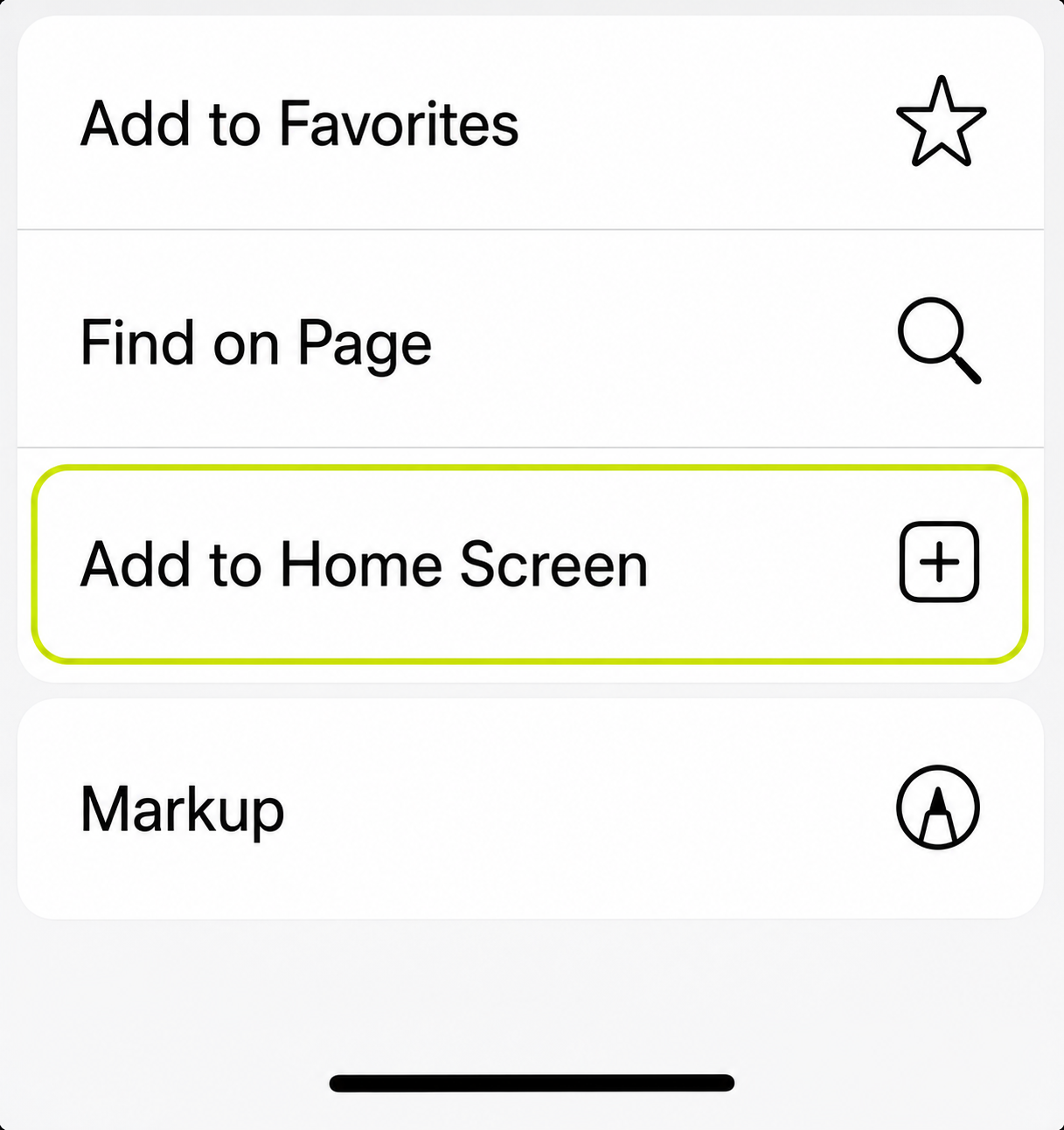
Keep Open as Web App on, tap Add, then open BPG Steps.
BPG Step Up Challenge
Add the BPG Steps Shortcut on your phone to share your daily steps and join the challenge.
Tap “Get Apple Shortcut” below.
Tap “Add Shortcut” when prompted.
Once it’s added, come back to this screen to continue.
Allow the app to use your data for the challenge.
Check that BPG Steps can read today’s steps from Apple Health.
Open the Shortcut, allow the Health action, then check again.
Swipe through all 3 steps
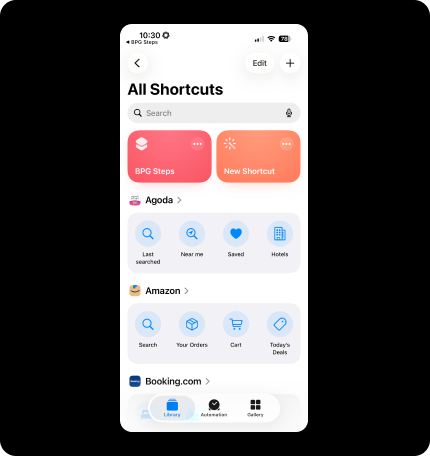
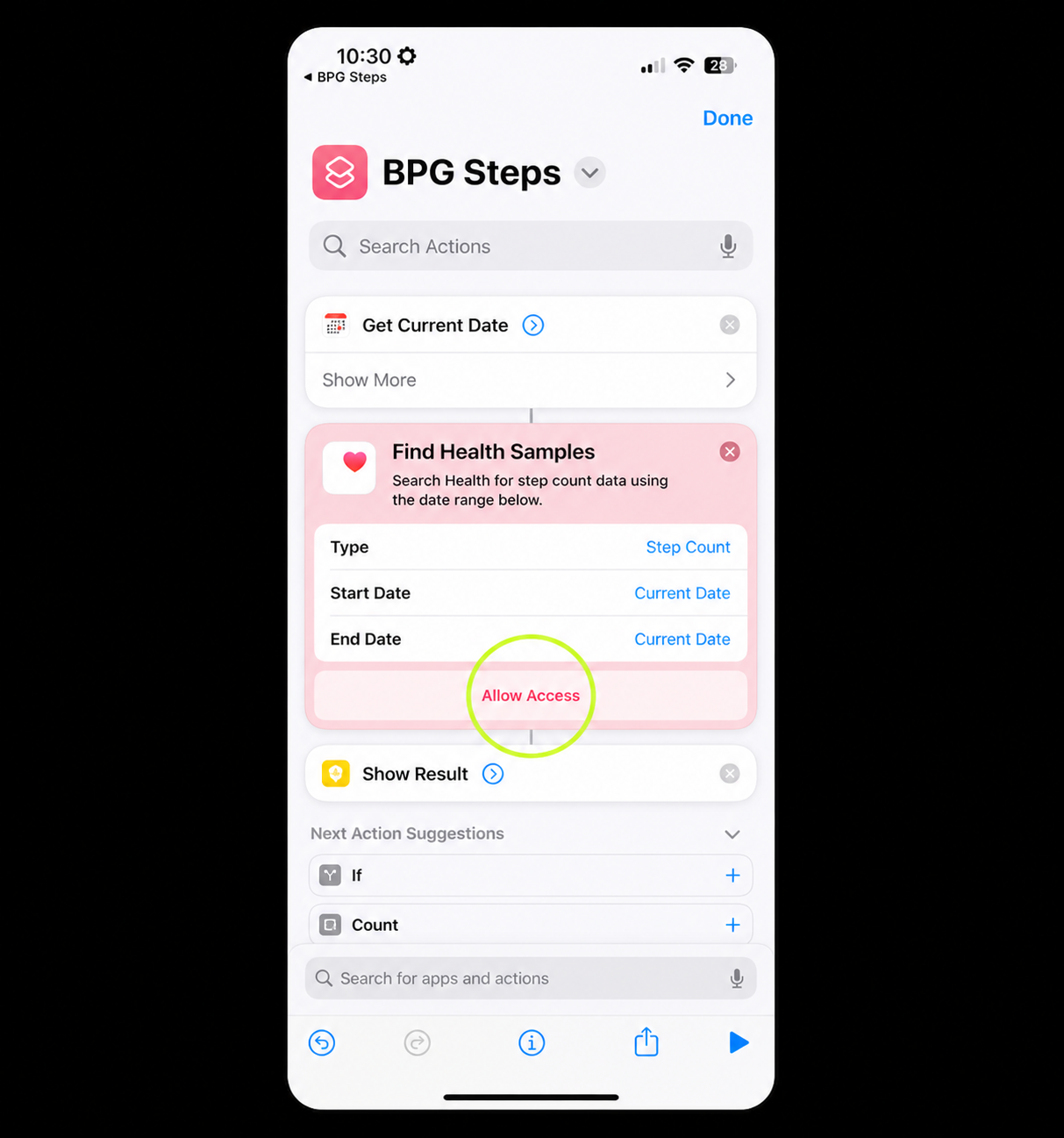
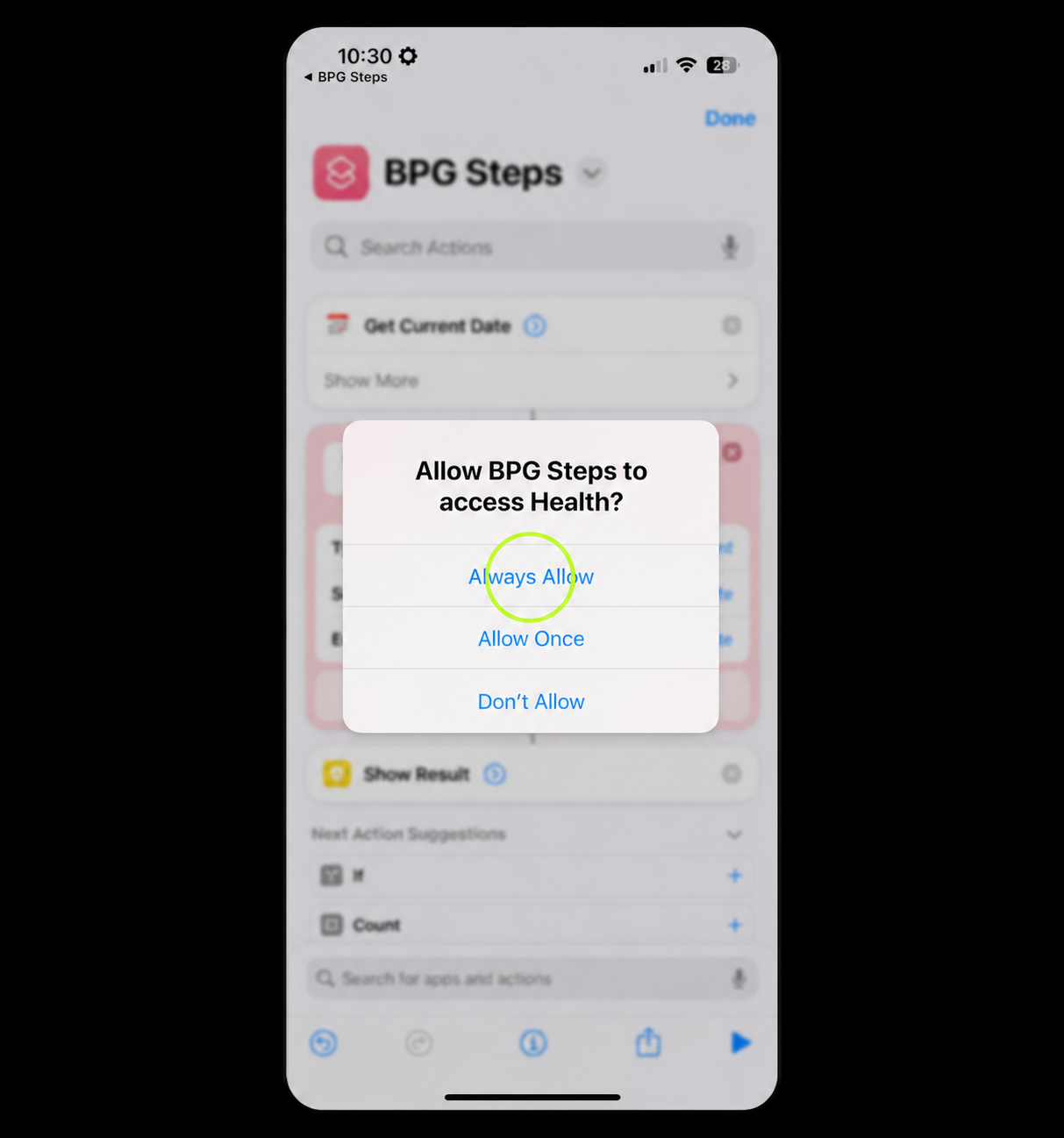
Apple’s wording may look slightly different depending on your iOS version.
Set up a daily update so your latest steps are automatically sent to the challenge.
Swipe to see more5 setup screenshots
1 of 5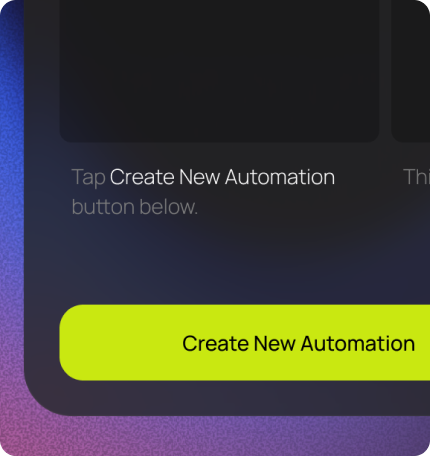
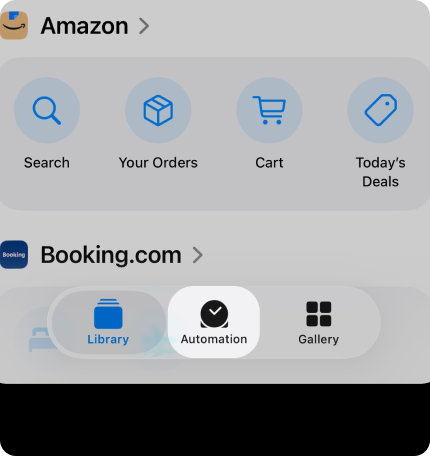
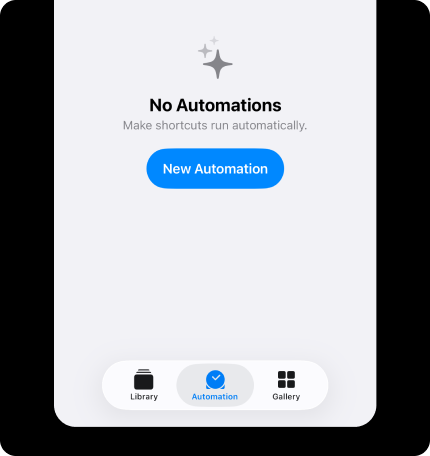
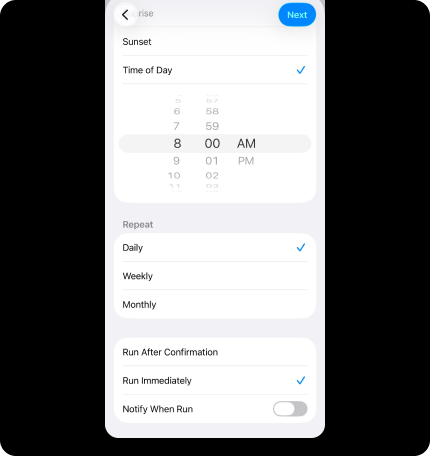
Your steps are now connected and will be automatically updated for the challenge every day.
You don’t need to open the app again.
Just keep your iPhone with you and keep walking.
Hello,
You have 0 steps.
You’re not ranked yet.
The leaderboard will fill as participants record their steps today.
Apple setup
Check your BPG Steps Shortcut or reconnect it without changing your leaderboard total.
Your Shortcut is connected to this challenge.
Reads today’s Apple Health total and verifies the connection. Nothing is added to the leaderboard.
Use these only if the test fails or you need to update your daily automation.